Style Recipes
This page collects practical style recipes. Use them as starting points, then adjust permission groups, patterns, and presets for your server.
Chat Prefix
Goal: Add a formatted prefix before chat messages.
Edit config/embellish-chat/presets.json.
{
  "prefix": {
    "chat.prefix.default": "<b>[%player:displayname%]</b> "
  }
}

This belongs in presets.json
Prefix values are shared presets, not style rules. When you fully replace vanilla chat formatting, enable
disable_vanilla_chat_format in config.json.
Bubble Chat
Goal: Show messages above the player's head instead of sending normal chat.
{
  "pattern": "(.+)()",
  "styles": [
    {
      "styleType": "BUBBLE",
      "preset": ""
    },
    {
      "styleType": "BLOCK",
      "preset": ""
    }
  ]
}
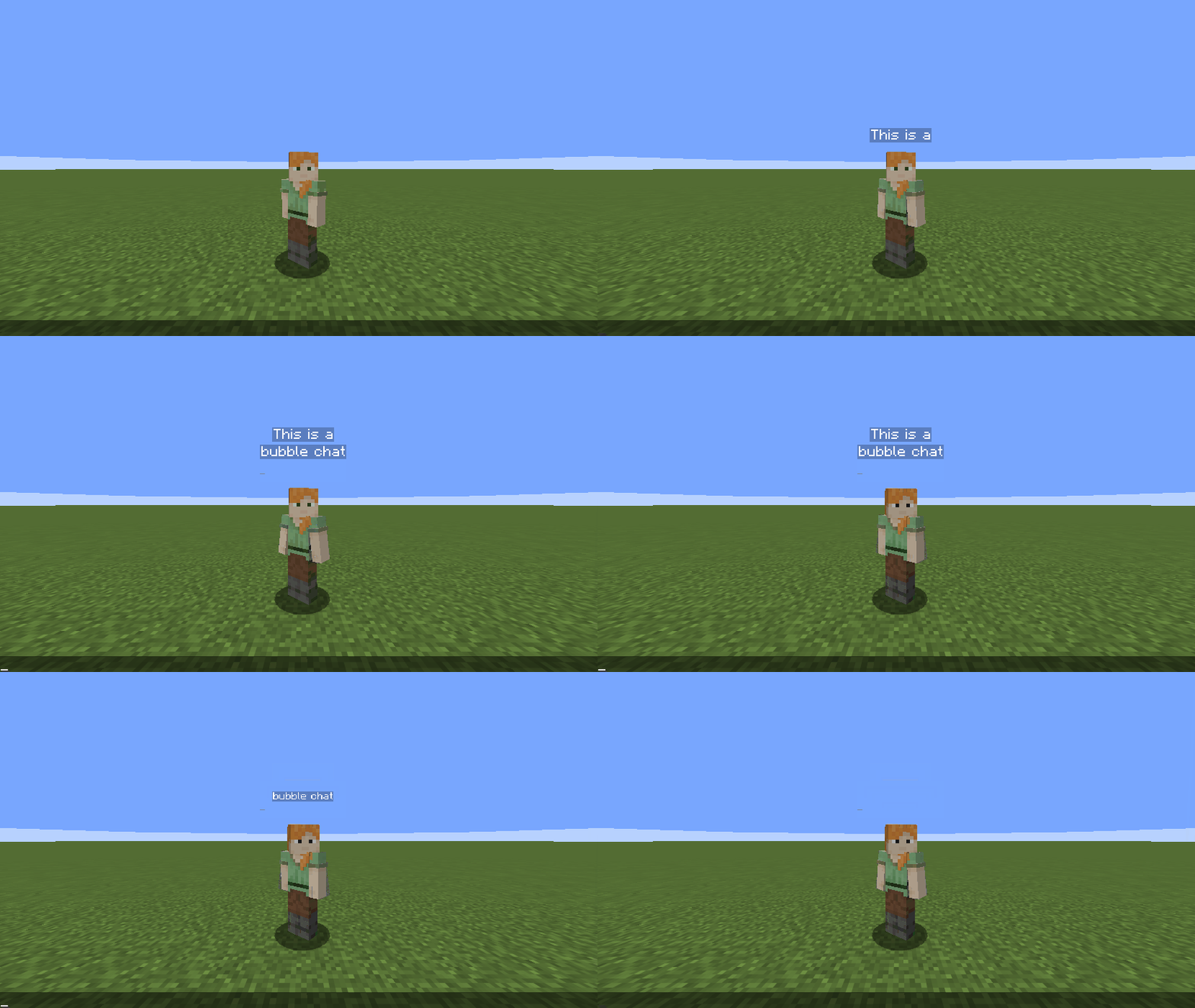
BUBBLE creates the speech bubble. BLOCK prevents the original message from also appearing in normal chat.
Chat Macro
Goal: Run fixed commands when selected chat words appear.
[
  {
    "pattern": "(sad)()",
    "styles": [
      {
        "styleType": "COMMAND_RUN",
        "preset": "/trigger ec.flag set 100"
      }
    ]
  },
  {
    "pattern": "(like|love)()",
    "styles": [
      {
        "styleType": "COMMAND_RUN",
        "preset": "/trigger ec.flag set 200"
      }
    ]
  }
]
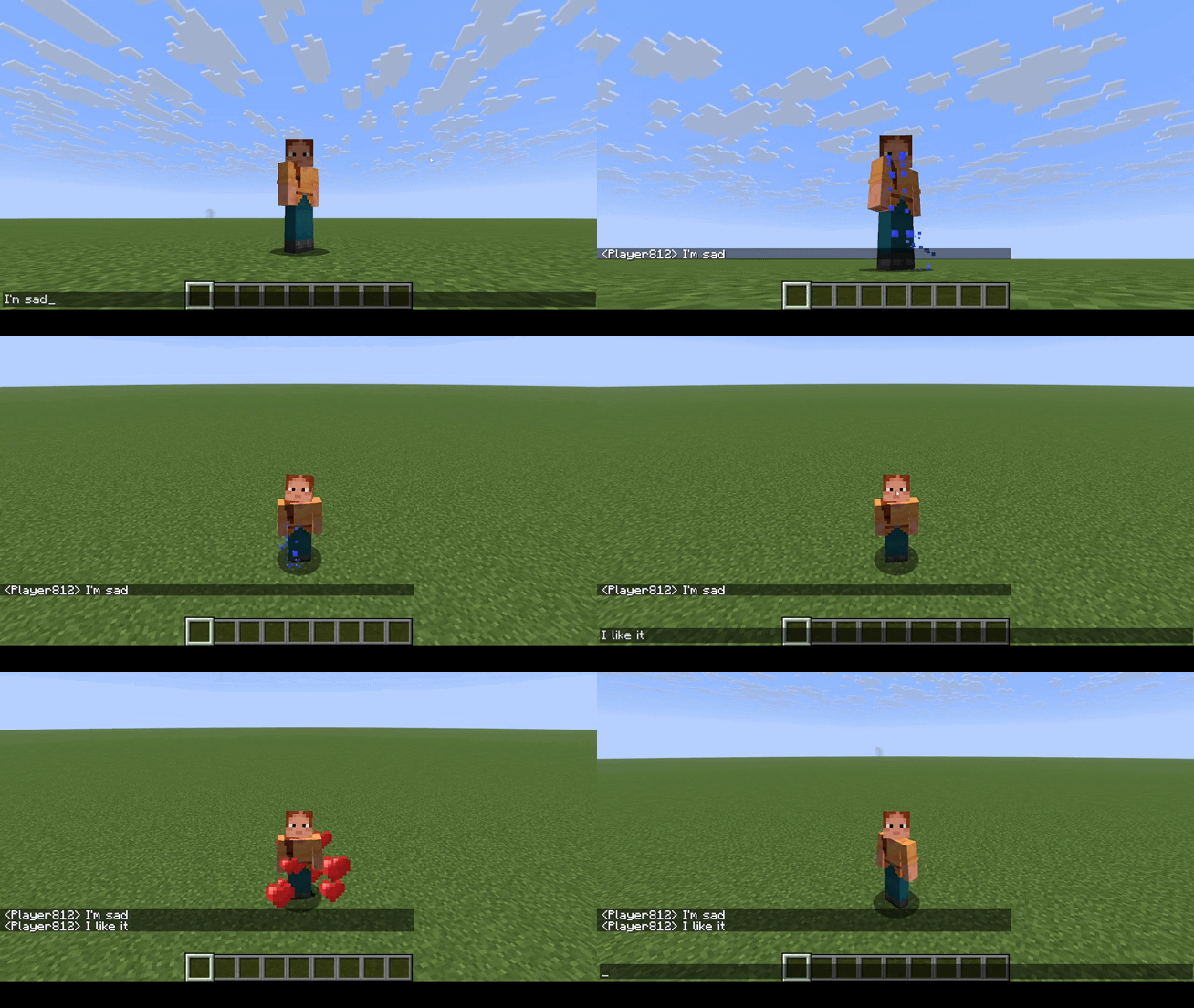
Global Style
Goal: Apply one effect to every chat message.
{
  "pattern": "(.+)()",
  "styles": [
    {
      "styleType": "COLOR_RAINBOW",
      "preset": "0.3"
    }
  ]
}
Rule order matters when a full-message pattern can match the same text as other style rules.
Direct Option
Goal: Use the matched word as both the displayed text and the style option.
{
  "pattern": "((red))",
  "styles": [
    {
      "styleType": "COLOR_PRESET",
      "preset": ""
    }
  ]
}
Both capture groups contain red, so COLOR_PRESET receives red as the option and colors the matched word with the
red preset.
Item Showcase
Goal: Let players share a view-only showcase of the item they are holding.
{
  "pattern": "\\[i]()",
  "styles": [
    {
      "styleType": "SHOW_ITEM",
      "preset": ""
    }
  ]
}
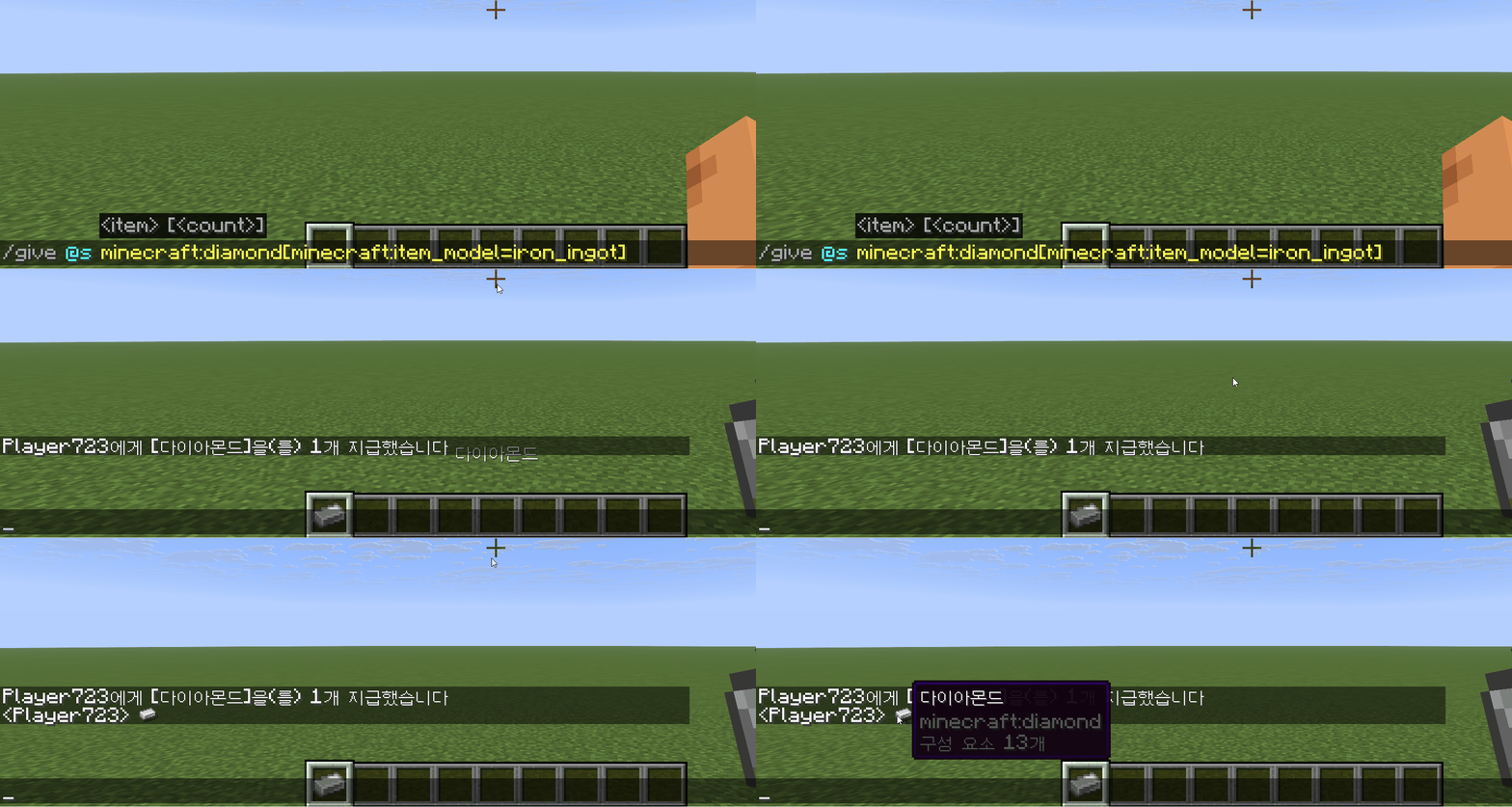
Clicking the rendered showcase opens an inventory-style screen with the item placed in the center. Other players can inspect it, but they cannot take it.
Modded item sprites
Item showcase rendering uses inferred sprite information instead of reading every item's full client resource model.
Vanilla items are expected to work well, but some modded items may render incorrectly. Use presets.json item
overrides when a specific item needs a fixed atlas sprite.